
Philips Headphones App
For iOS and Android


Connect easily
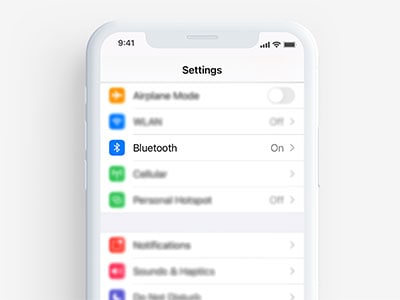
Step 1 : Get ready
Make sure Bluetooth is turned on.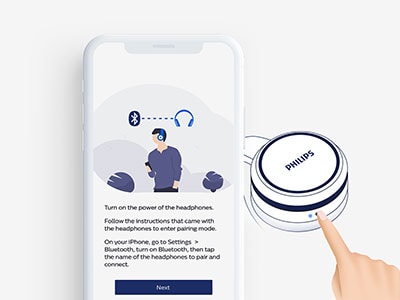
Step 2 : Pair your headphones
Press the pairing button on your headphones.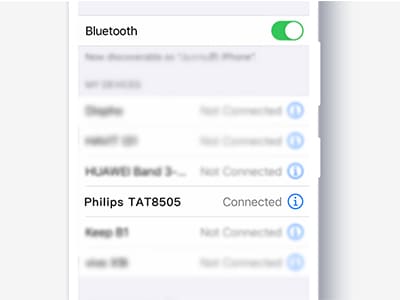
Step 3 : Find them on your phone
Select your headphones from your phone’s Bluetooth menu.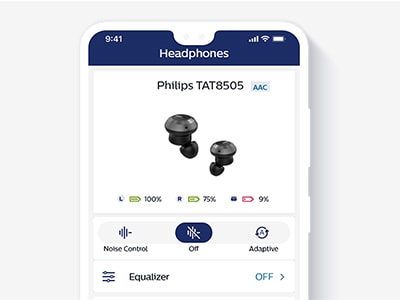
Step 4 : Find them in the app
Select your headphones in the app to complete pairing.
Get more from your headphones
App features
Click for more

When you want to immerse, you can turn on noise cancellation via your headphones or the app. If you don't want to filter out all external sounds, you can use Awareness Mode in the app to decrease the level of ANC manually.

Activate Awareness Mode via your headphones or the app if you want to have a conversation, listen for announcements, or hear the sounds of the street. The app lets you control how much noise your headphones let in.

Select adaptive noise cancellation, and the app will filter out external noise based on what you’re doing. Whether you’re resting, walking, running, or commuting, the app automatically selects the right noise-control preset for your environment.

Whatever you love, love it your way! Six presets let you choose how your headphones sound based on what you’re listening to. Or you can use the app’s equalizer to adjust the sound yourself and save custom presets for future use.

Scrolling through tunes on your playlist? You can play, pause, skip, and adjust volume right from the app. You’ll also see key track info, album artwork, and artist details.

The app lets you use your phone to check your heart rate in real time, whenever you’re wearing your Philips headphones. Perfect for monitoring your effort during exercise or keeping an eye on your post-run recovery.

Want to use a particular voice assistant with your Philips headphones? Simply download the voice assistant to your phone and select it in the app. You can then speak to your chosen voice assistant through your headphones.

The app makes it easy to keep your headphones up to date. Simply download the latest firmware to your phone. Once the download is complete, your Philips headphones will upgrade automatically via the app.

No more searching on support pages—the app links you straight to the correct user manual for your headphones! Get instant access to troubleshooting tips, and the general dos and don’ts for using your headphones
Are my headphones compatible?
The Philips Headphones app is compatible with our most recent headphones. It is available in 23 languages including Dutch, English, French, Spanish, Russian, Arabic, Hebrew, Korean, Japanese, and Mandarin.
-
1000 series
In-ear true wireless headphones
TAT1215BK/97
- 6mm drivers/ closed-back
- Bluetooth®
-
In-ear true wireless headphones
TAT3255WT/00
- 6mm drivers/ closed-back
- Comfort fit
- IPX4 splash/sweat resistant
- Up to 24 hours of music
-
Hi-Res Audio wireless over-ear headphone
TAPH805BK/00
- 40mm drivers/closed-back
- Over-ear


*TV and Audio products on the Phillips.com website are not sold in Philips Online Shop. The conditions regarding warranty, delivery and returns are determined by the retailer of your choice. Please refer to the conditions used by the retailers for more information.
Your Philips headphones app

Get going with the Philips headphones app.
More from Philips TV & Sound
Soundbars
For every thrilling moment
Wireless speakers
Your music. Loud and free.
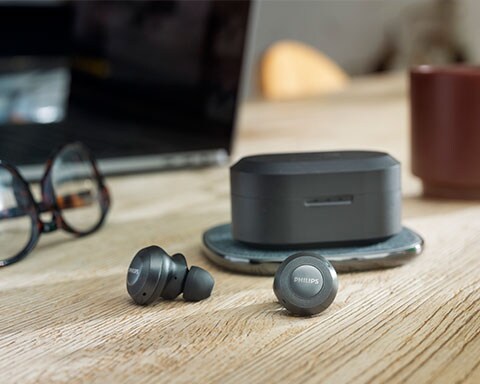
Headphones
Keep your music close
