Follow these instructions to clean your TV screen:
- Switch off the TV and unplug the mains cord from the wall outlet.
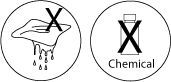
- Do not use a damp cloth or any chemicals, such as acetone, toluene or alcohol.
- Use a soft and dry cloth, we recommend the Microfiber cleaning cloth (not supplied), and wipe the screen in circular motions.
- Do not press hard on the screen! Doing so could severely damage the screen.
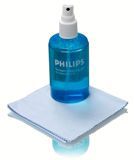
For persistent stains we recommend Philips Plasma/LCD Screen cleaner SVC2540. Spray a small quantity of the product on the Microfiber cloth and then wipe the screen.